Associate Notification System
Project Details
Tool: Sketch, Figma
Time: 2020 - 2021
Category: System framework, Design library System
Company Sam's Club
As the lead designer on the Associate Notifications project at Sam's Club, I work with UX researchers, content strategist, product managers, engineers, operation/business representatives from research, planning to design, testing and improvements.
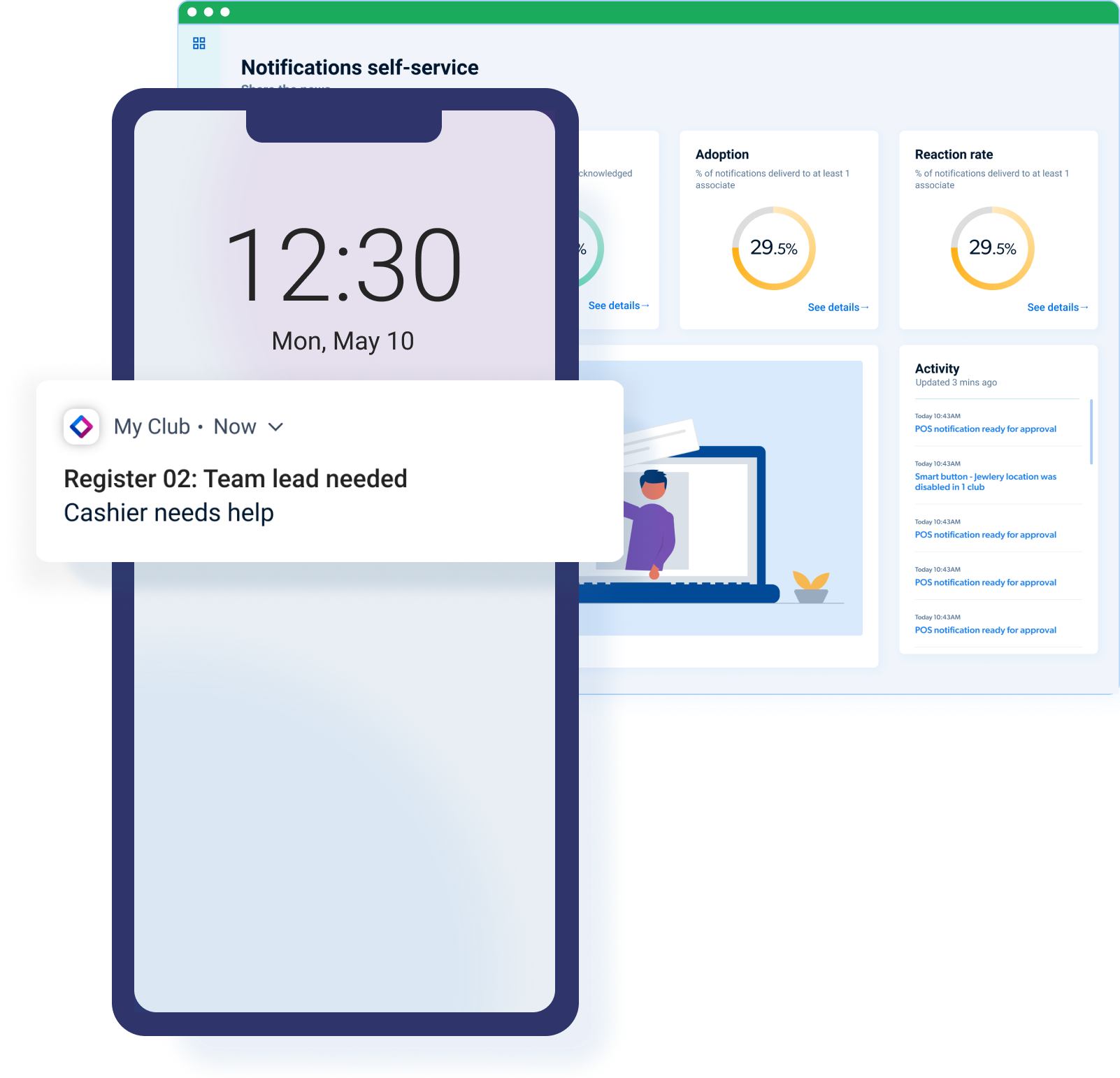
A Sam's Club associates' notification platform that connects associates, customers, and technologies.
Design the system to help in-store associates be in the loop for timely information.
We've launched more than 20 notification use cases to the chain so far. Triggered from different upstreaming services including POS (point of sale), Emergency app, My Club app...etc. More to come in 2021 with pilot testing in progress. Each of these use cases makes impactful differences to the ways of working for our in-club associates.
Business impact
- Improve member experience via reduced wait time for assistance
- Increase associate productivity and distribution
- Decrease shrink by allowing managers to monitor POS and Exit tech in real time
- Improved analytics and insight into associate actions
- Revenue Growth
The problem
With Sam's Club existing product strategy, there was a lack of holistic communication channel to notify in-club associates to get timely information. Each associate-facing apps has its own notification rules which lack of a consistent experience. Before the project gets started, there were risks that associates may not get notified when they are needed or when an emergency situation happened. In-store associate communication is limited by store location and reliance on radio communication.
Research into the problem
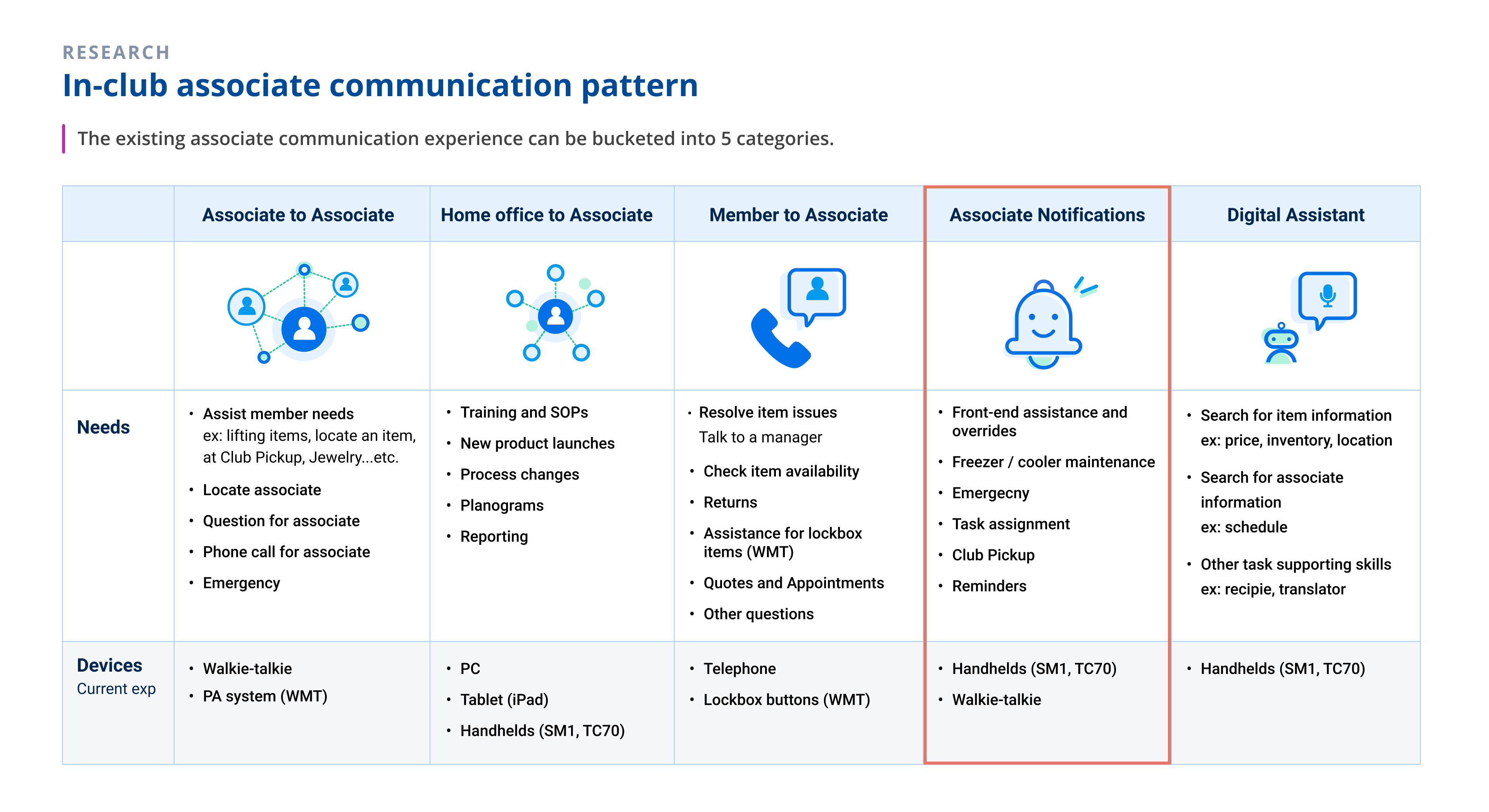
Start with a series of observation sessions in store to understand the current associate communication experience and research existing products that have similar functionality. We look into how associates receive timely information with different types of communication methods. From mobile, hand-held devices, land-line phones, email to PA system.
The solution and mission
We aim to improve the communication system for our in-store associates to ensure customers get help in time for a good shopping expereince.
- Be in the loop: Let targeted recipients know when they are needed. To see, to feel, and to hear the notifications from various channels
- Know the priority: Allow user to focus on the top priority tasks with their mobile devices across all Sam's Club technologies
- Easy management: Build a desktop self-service portal that supports home-office associates to manage and configure notifications easily
NOTE: Check my other project, Connected Associates , which I lead to improve the associate communication experience with functionality similar to walkie talkie
Define the framework
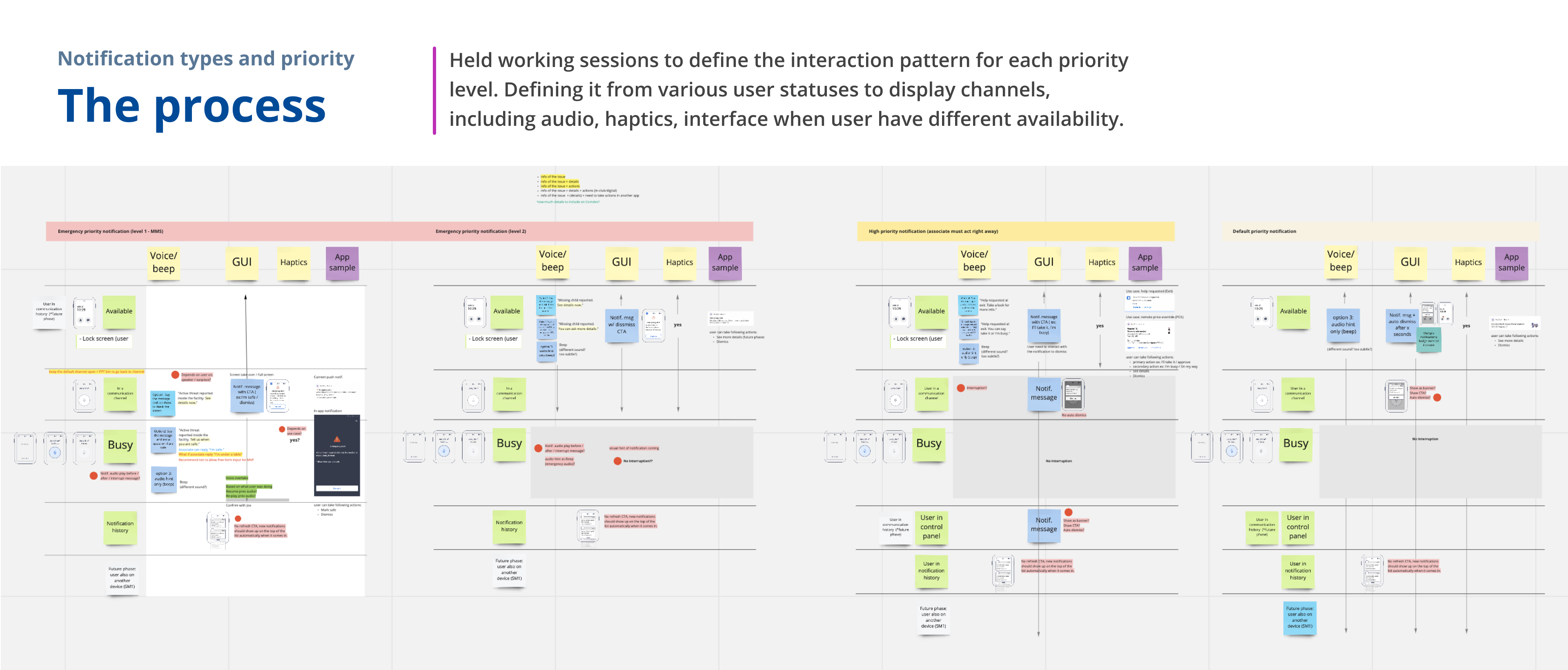
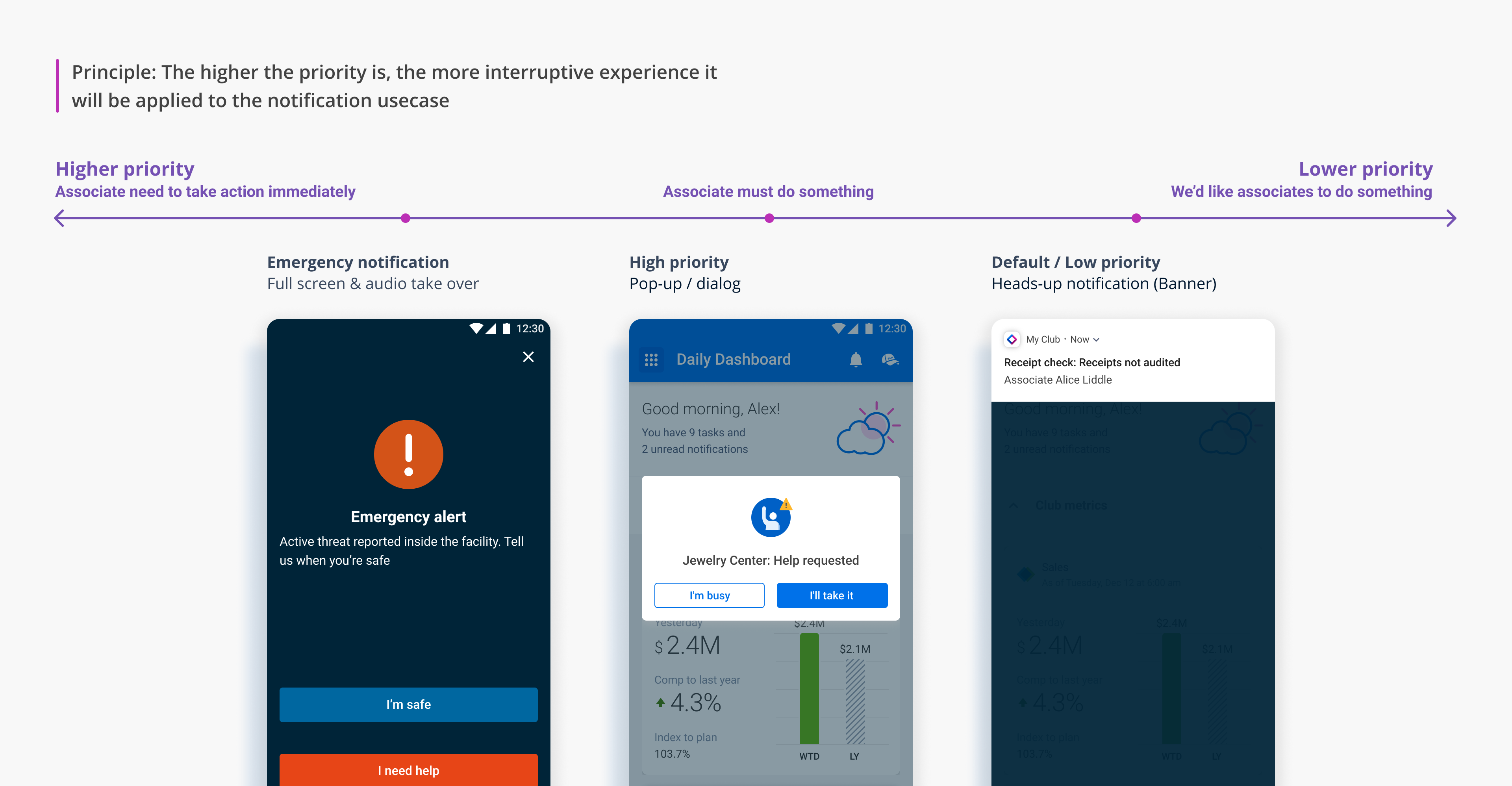
First, based on the existing product and known use cases we've collected, defining the framework of the notification based on its priorities and types. Then, based on these priority levels, we design the interaction pattern to display and notify associates with different experiences. The higher the priority is, the more interruptive experience it will be applied to the notification use case.
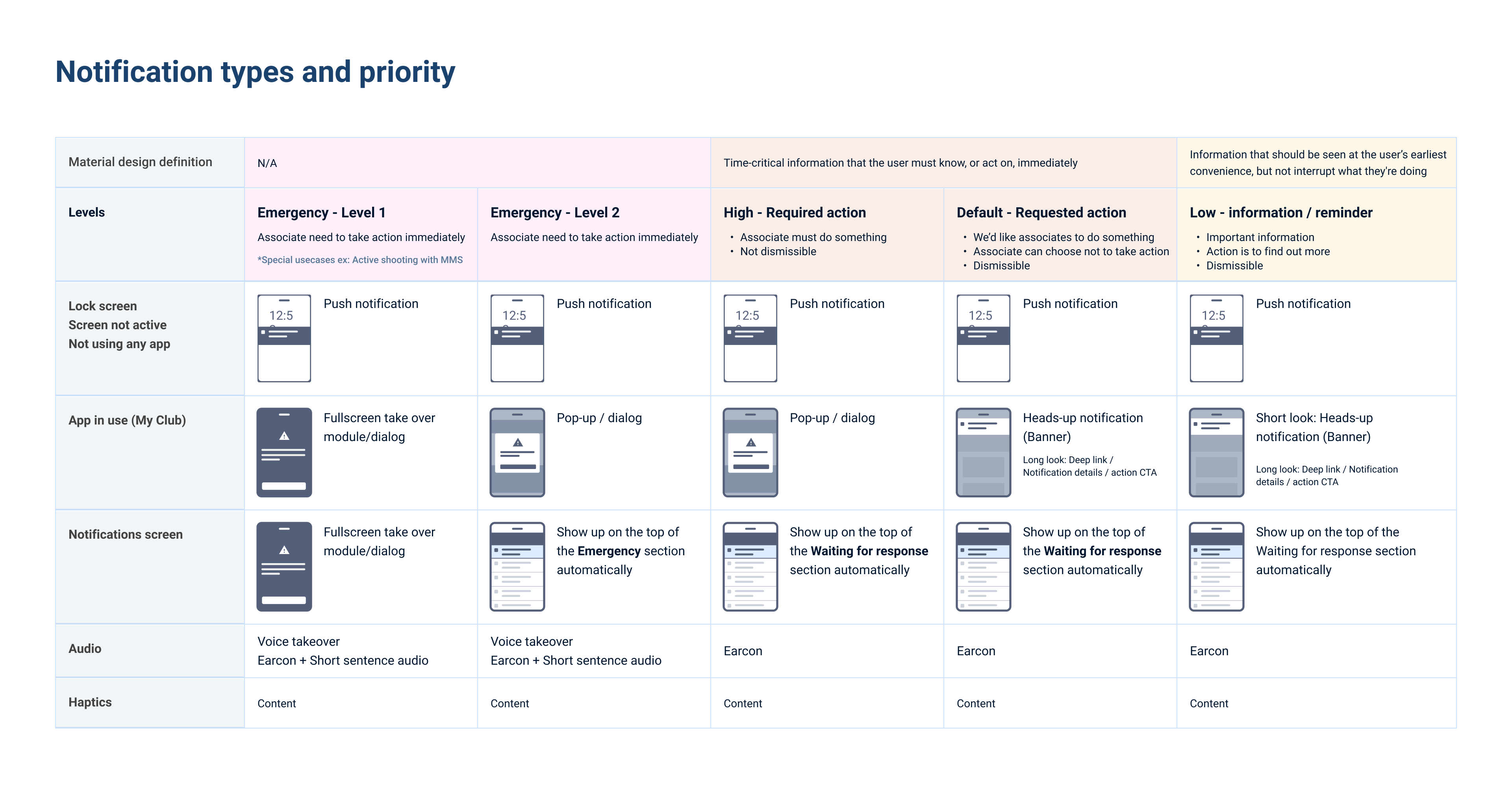
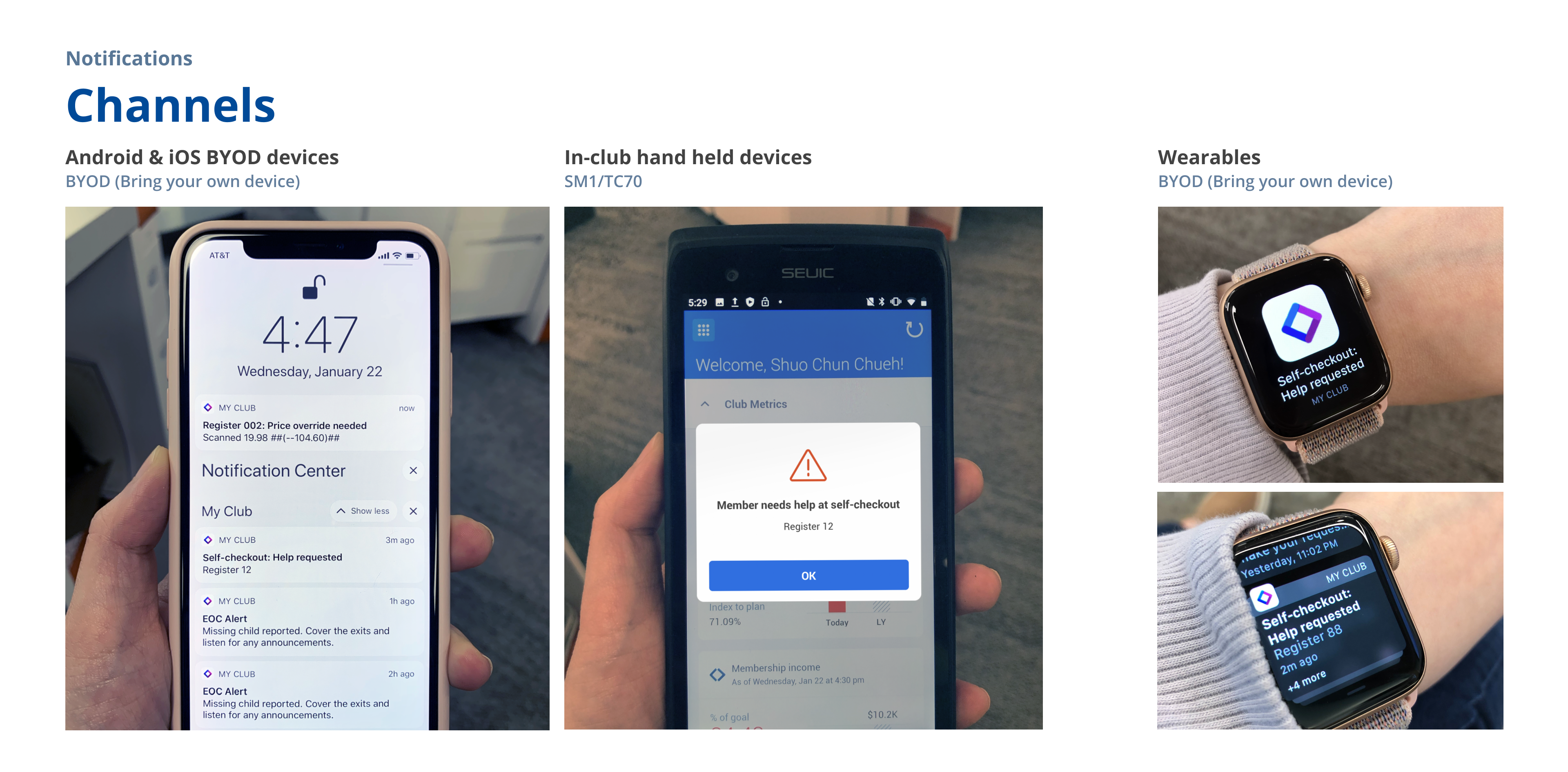
Below shows how this pattern applies to different channels, associates can receive notifications with their personal mobile devices (BYOD), in-club devices (SM1), and their personal wearable devices (BYOD)
Principles & Features
In order to deliver information efficiently, we also develop the following design principles and features:
- Targeted recipients
Minimize frequency and maximize the relevance of notifications, avoid associates spending time on irrelevant information. Instead of always sending notifications to all the associates, identify associates' roles and target recipients for each use case. Also, empower associates to make decisions if they'd like to subscribe to certain types of notifications. - Acknowledge patterns with 2-way communication
To simplify the workflow, with different purposes of notifications, we defined various interaction patterns to enable associates to have 2-way communication, respond back to the system and notify other associates. Below are some examples:
Mark me safe - Allow associates to respond whether they are safe or need help during/after an emergency event. Work with the emergency center app to support the club manager tracking the safeness of each associate.
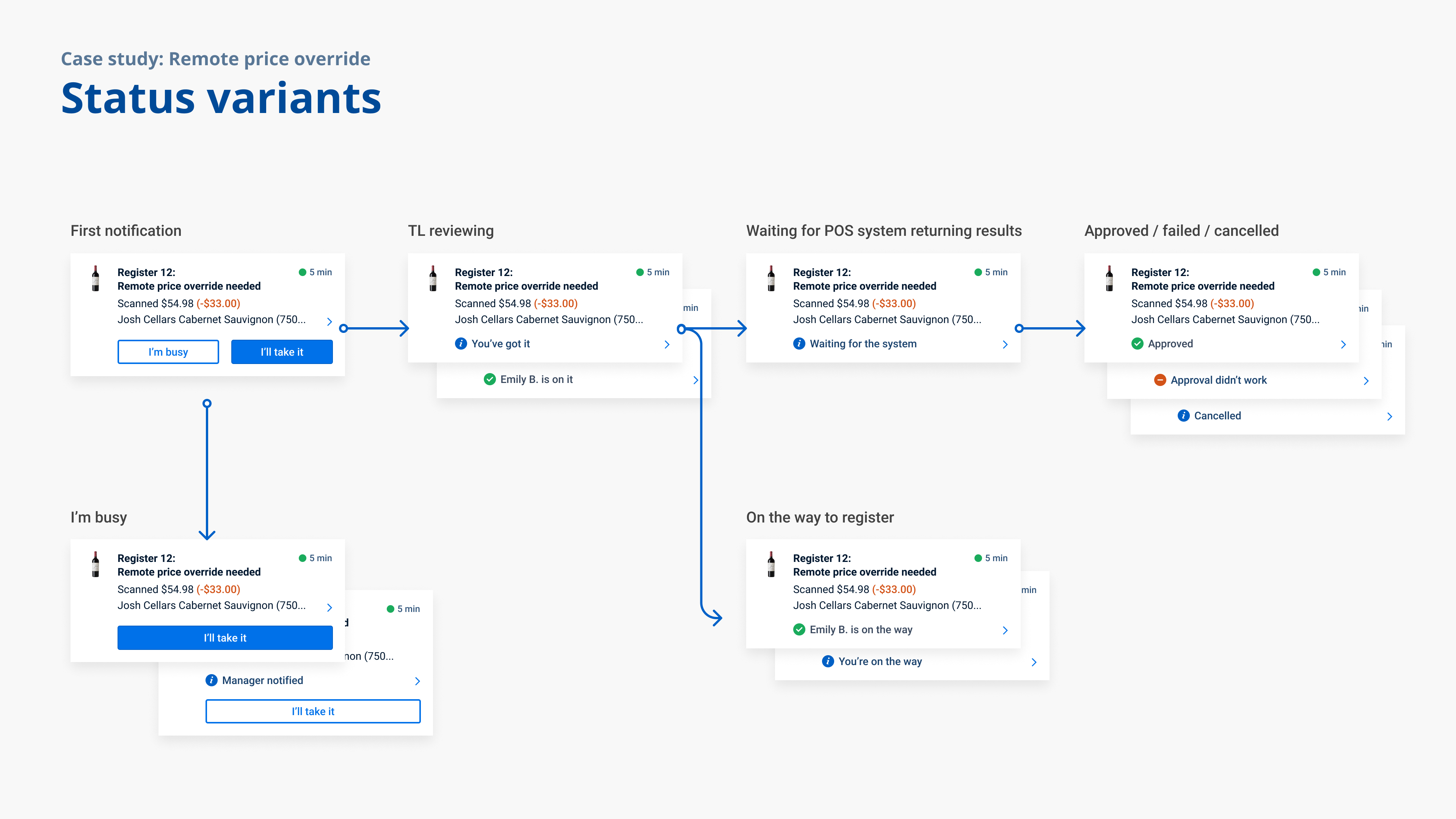
I'll take it/I'm busy - Help to coordinate ad-hoc work between associates when a task can potentially be taken care of by multiple associates. Associates get to shorten the waiting time for customers and reduce radio noise by simply let the system know their availability at the moment when receiving the notification.
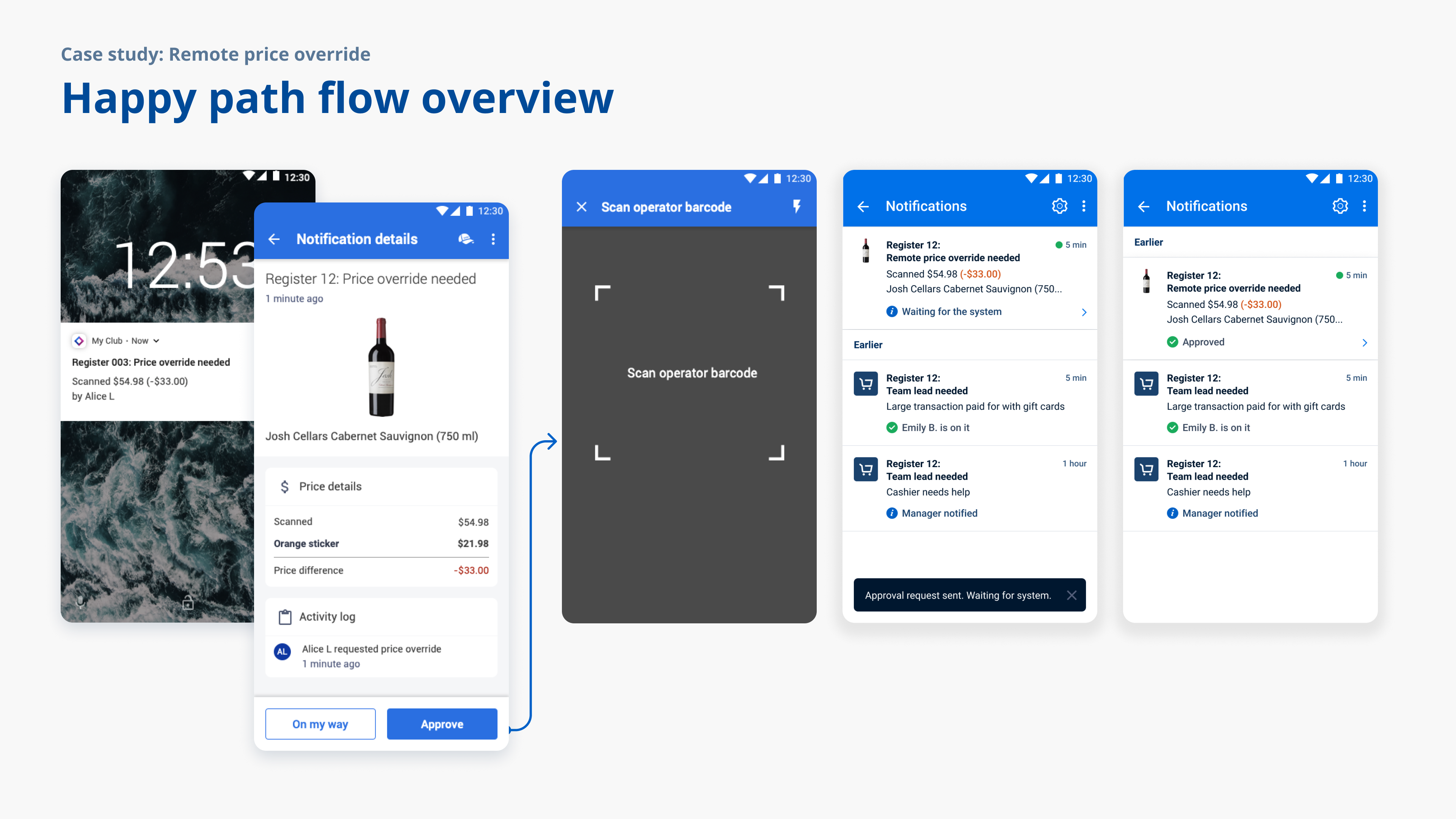
Remote Approve/Rejection - Let managers be able to approve requests at/to different spots in the store instead of running around to complete the process. For example, manager can remotely approve a transaction request from a cashier from anywhere in the store. - Reminders and escalations
Based on each use case, the system automatically sends out reminders and escalate to managers after a certain waiting time period.
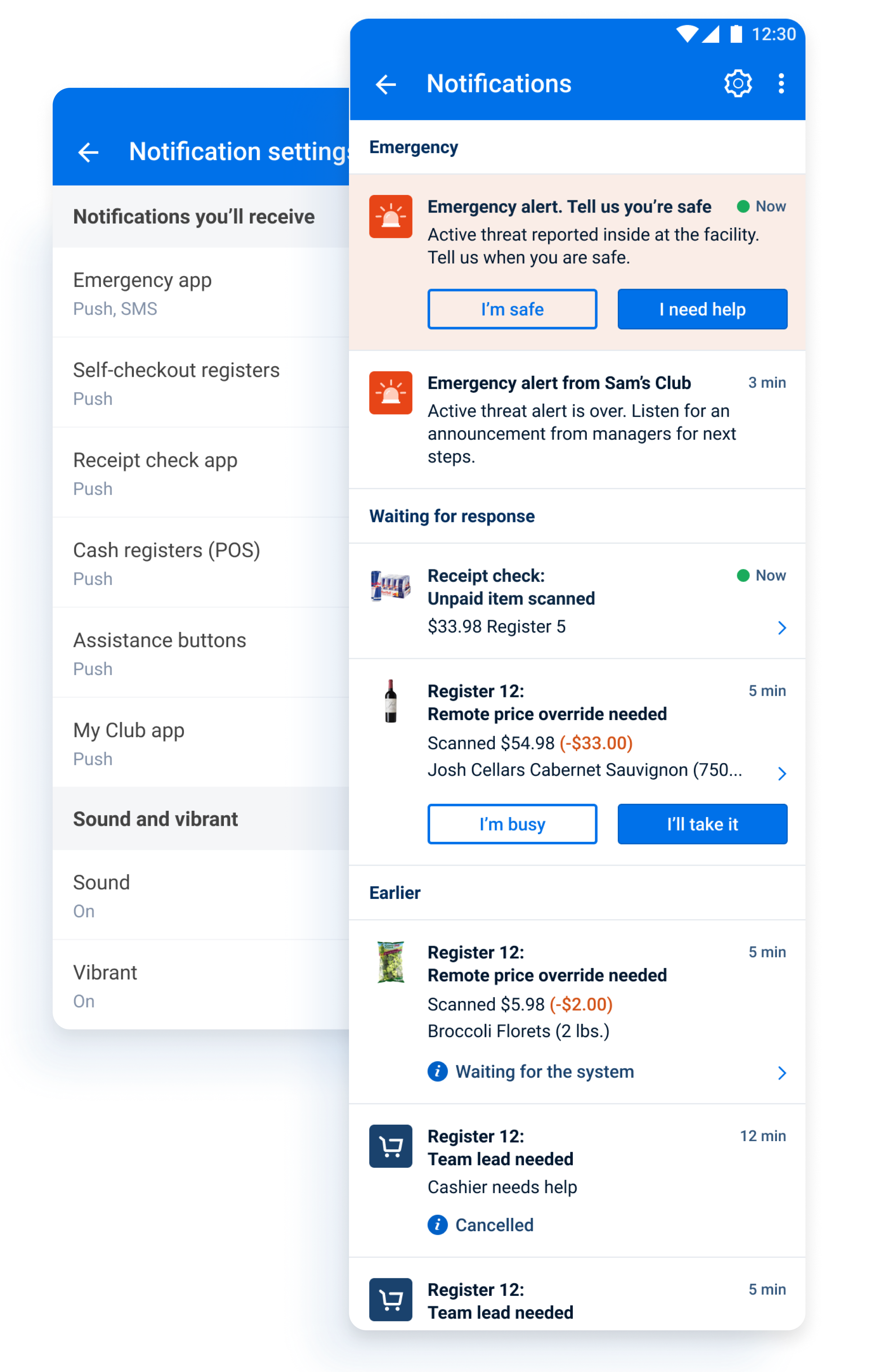
For club associates to trace and manage notifications...
Notification Center
The place for history log and settings.
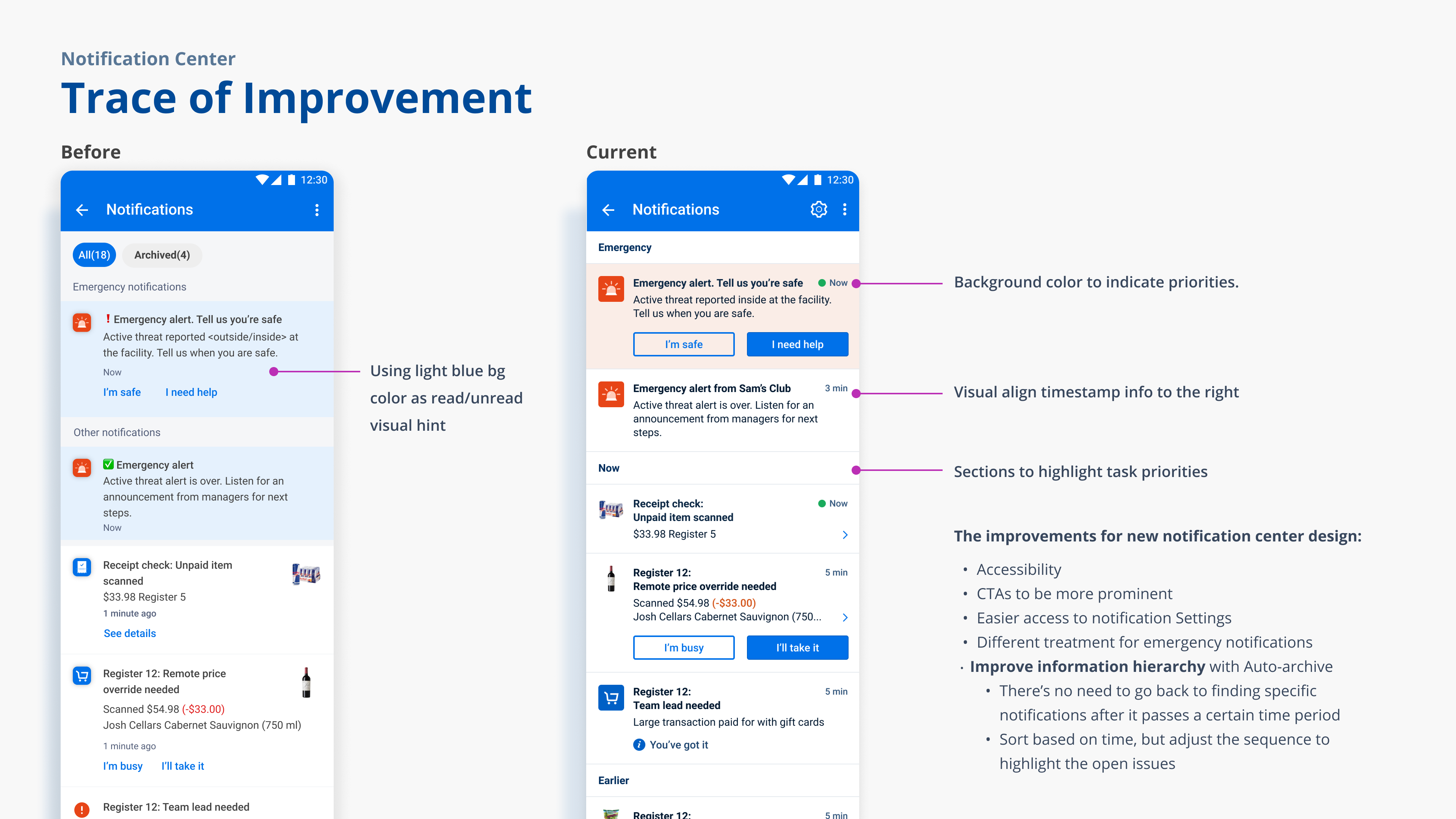
The notification center is located in the central associate app named My Club. From here allow user to focus on the high-priority tasks and track down an old notification.
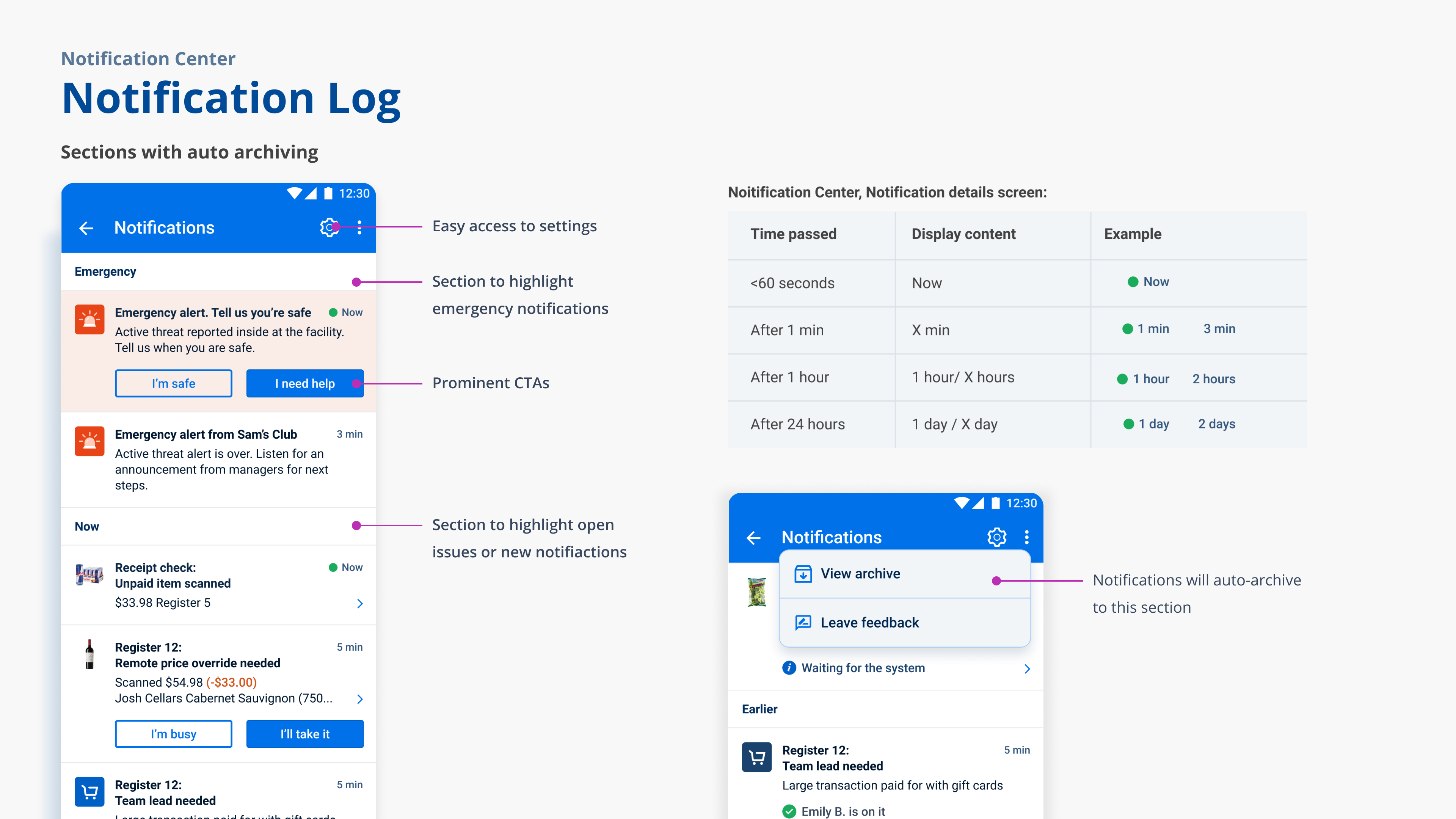
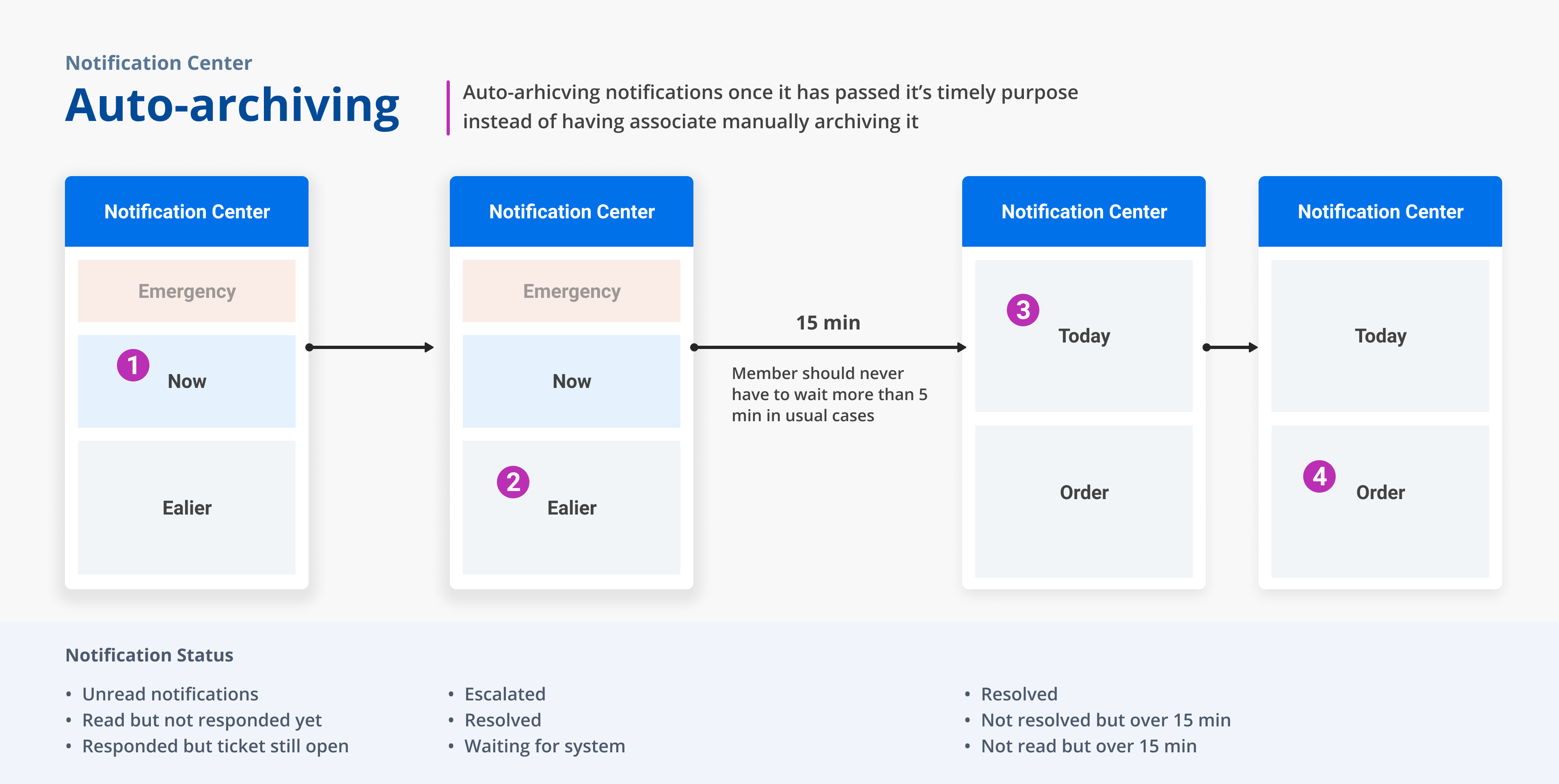
To help associate focus on the most urgent cases. We separate the list of notification history into 3 sections: Emergency, Waiting for response and Earlier. Based on the time sequence and pre-defined rules, notifications will move down on the screen from each section and eventually automatically filed into the archive notifications screen.
ADynamic setting options based on associates' roles. Depends on user's roles and positions, they get to control if they'd like to receive notifications from different upstreaming services (ex: Self-checkout, exit app...etc,)
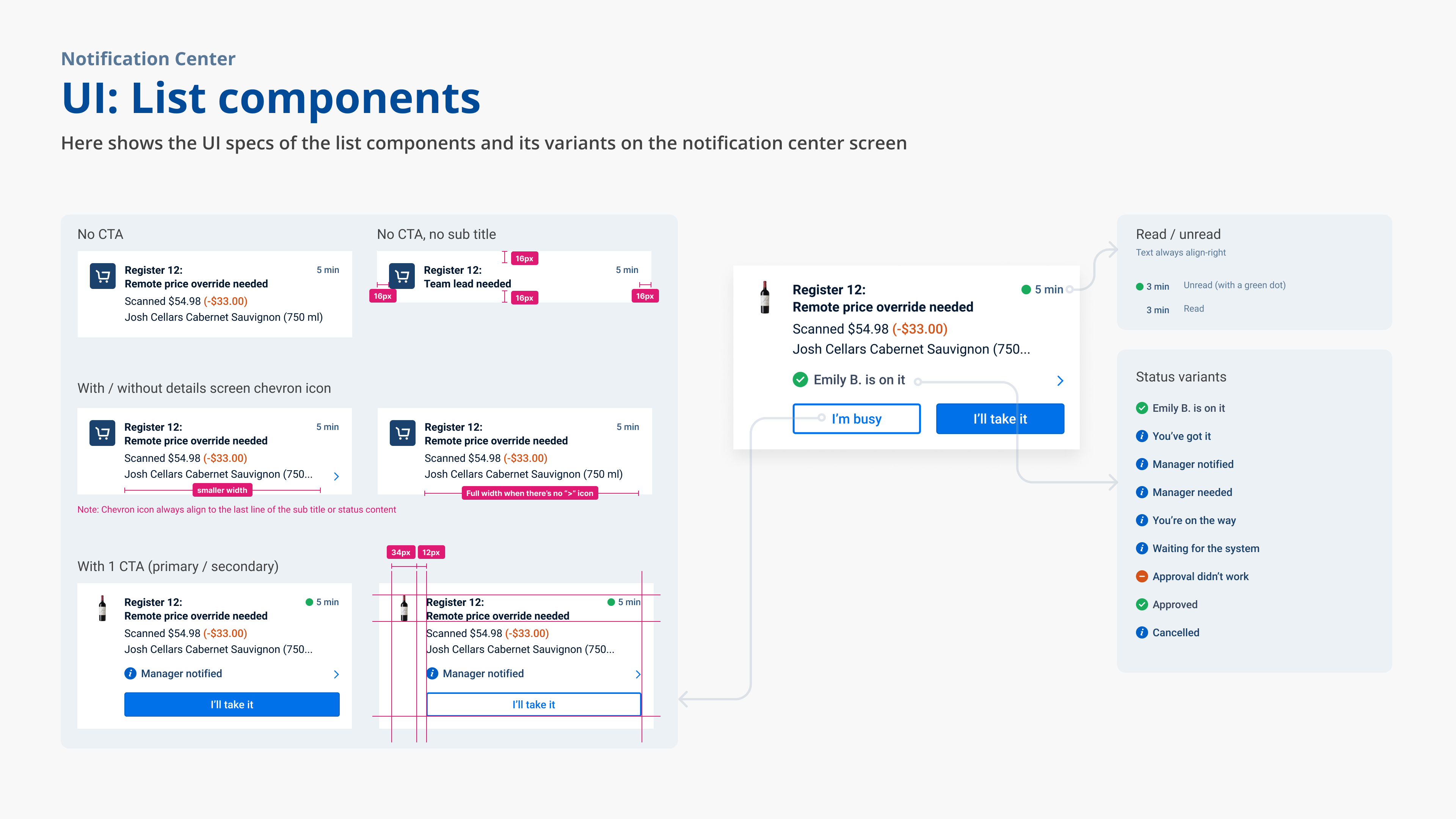
As the central notification log screen, in order to differentiate the source services where the notifications coming from, we defined the content rules to always use the service name as the beginning of the title.
As the central notification log screen, in order to differentiate the source services where the notifications coming from, we defined the content rules to always use the service name as the beginning of the title.
For home-office associates to configure and manage notifications...
Notification self-service portal
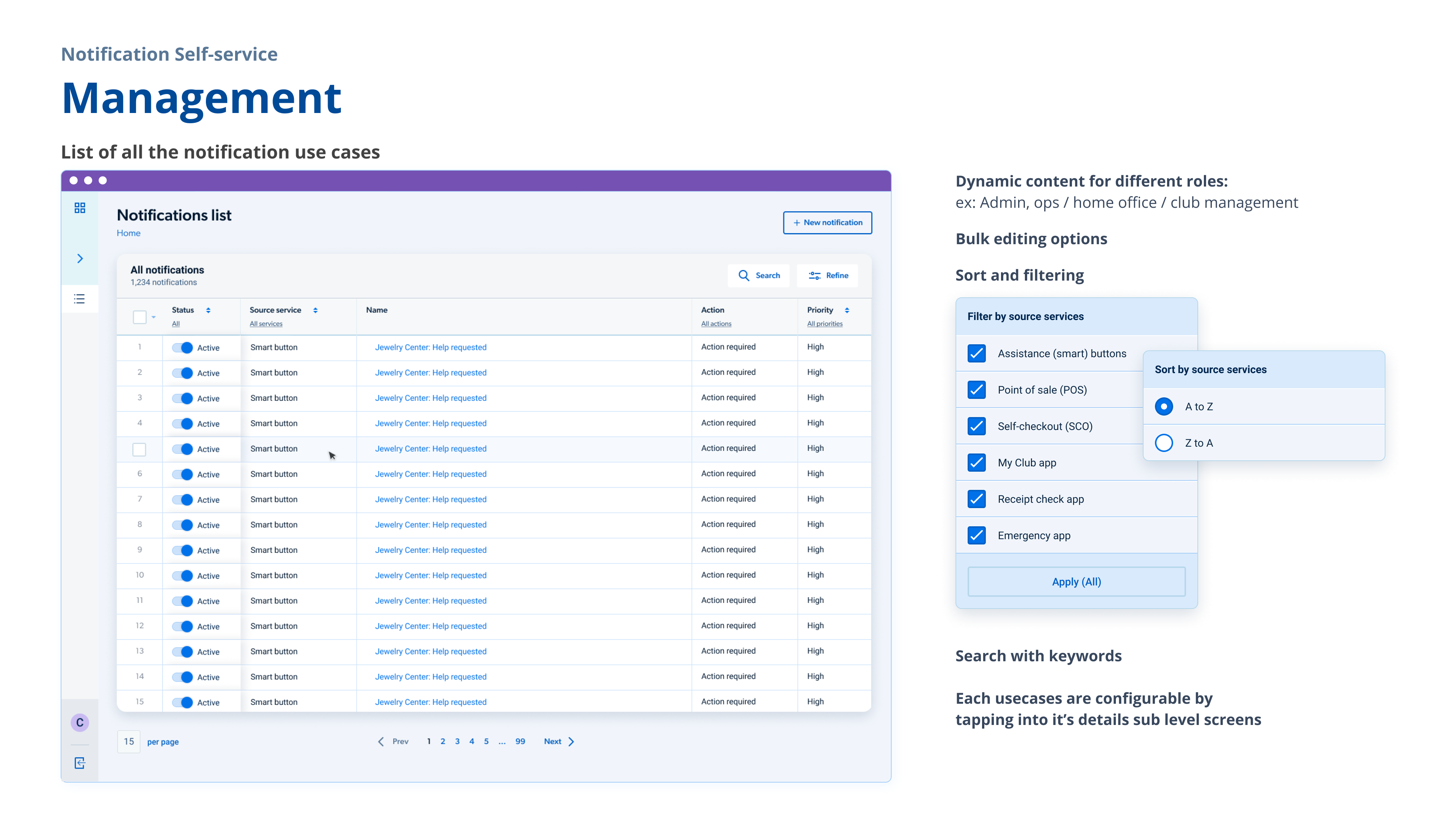
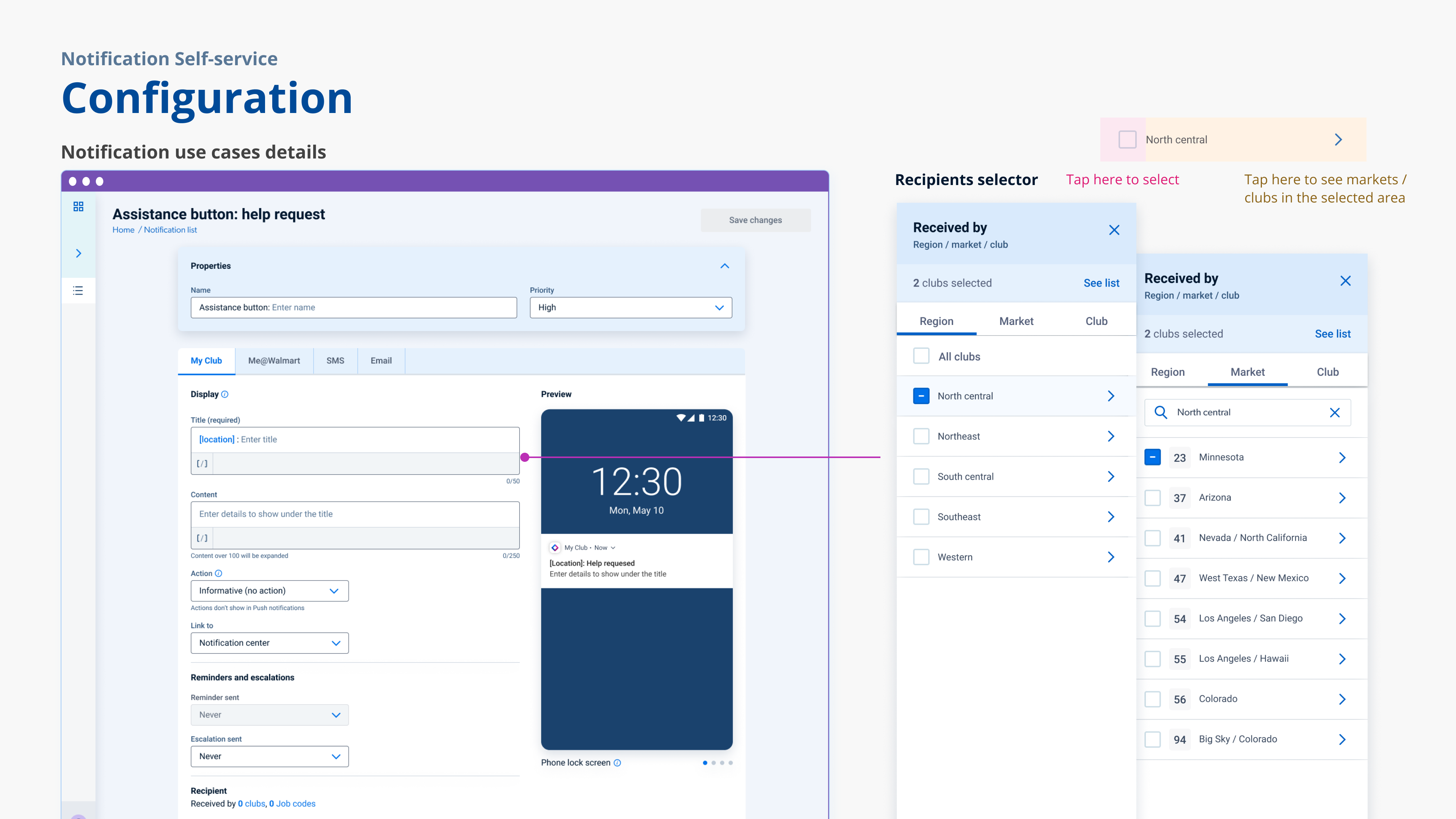
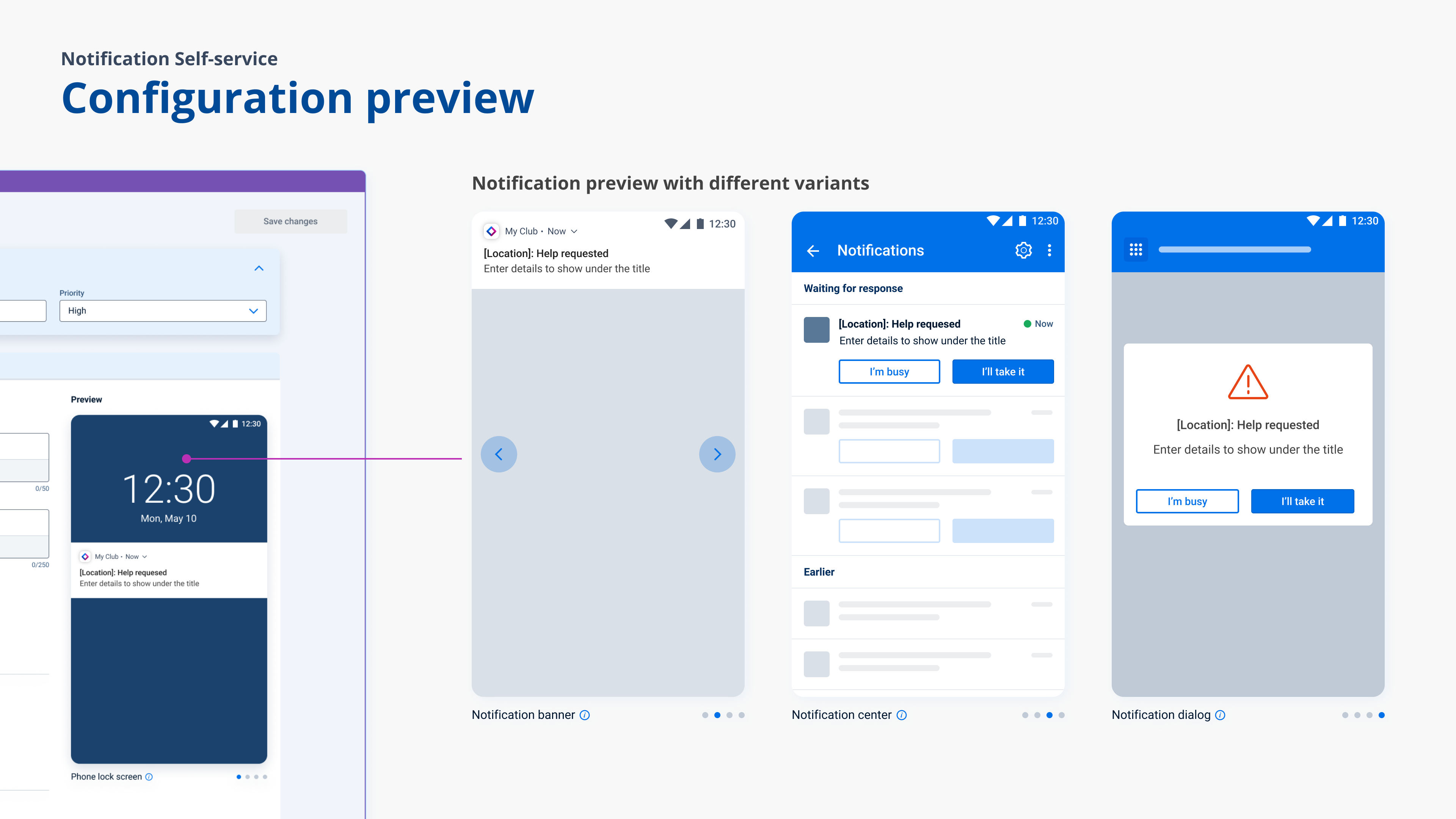
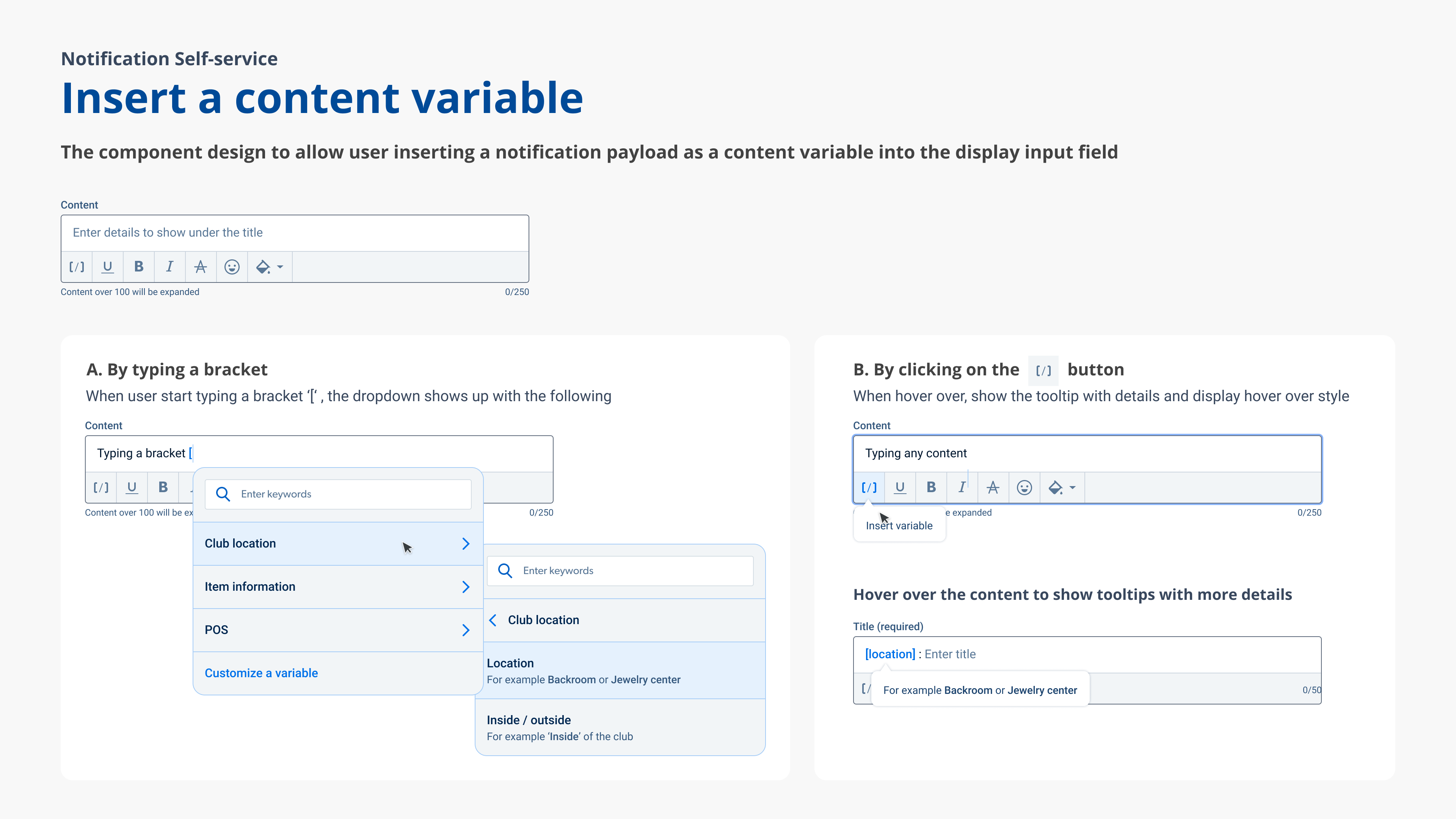
Management · Configuration · AnalyticsFor home-office associates, we provide a desktop platform to easily manage, configure, and define the logic and interaction pattern upfront for notifications. The self-service platform encourages the use and raise adoption of the system by other Products at Sam's Club, simplifies the onboarding process for our service partners. It also enables notification team internally to quickie launch and test notification use cases in specific pilot clubs.
Notification Self-service design details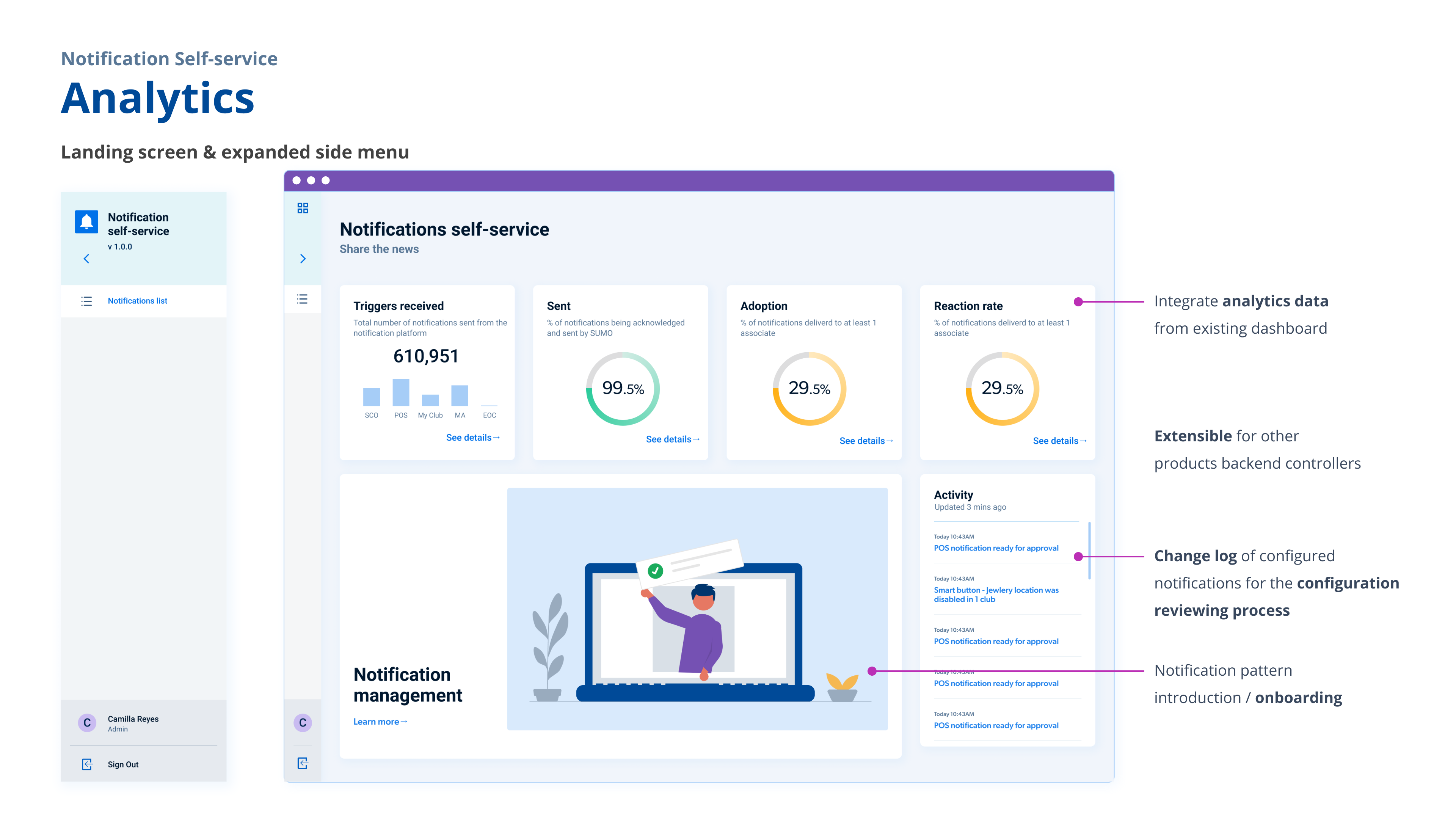
Let's take one use case for a closer look...
Case Study - Remote price override
The problem
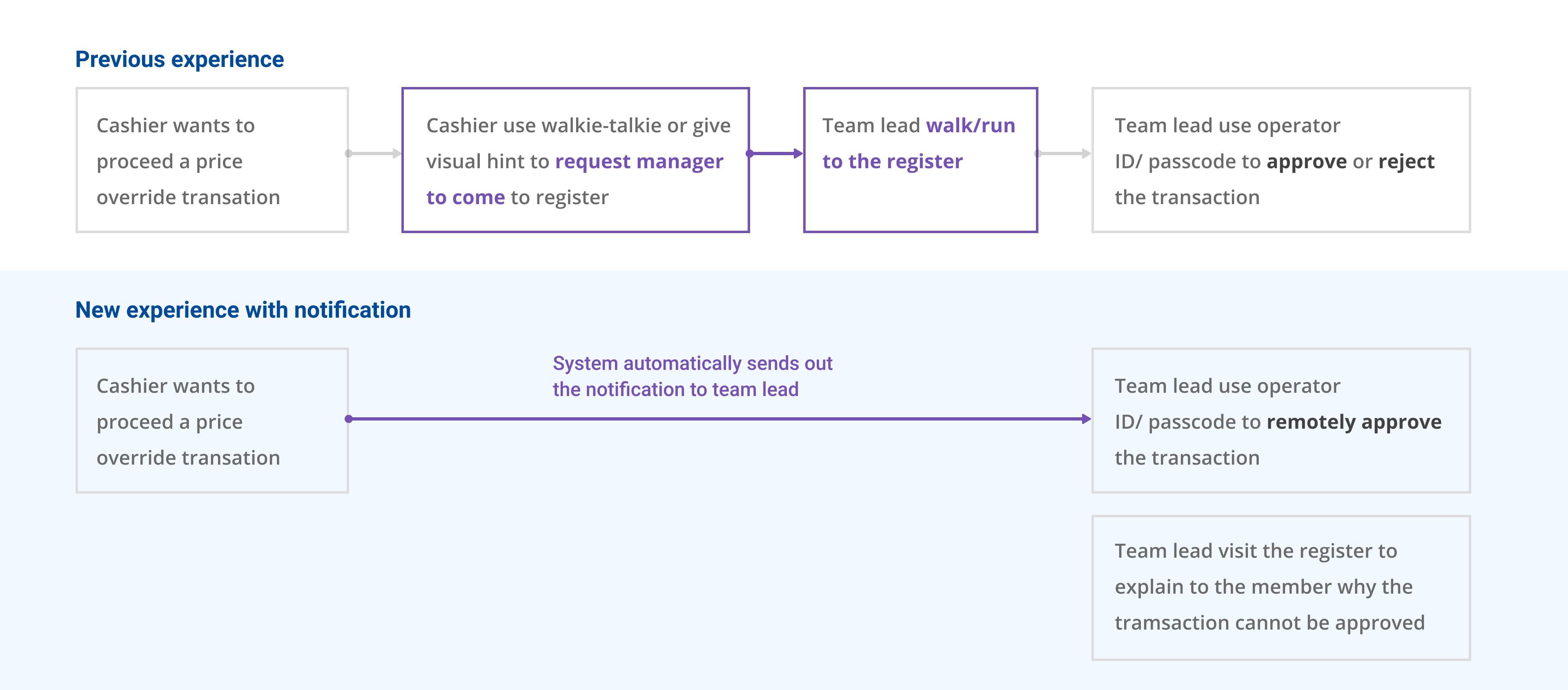
Supervisors cannot remotely approve price overrides and instead must physically walk to the register or Self Checkout. We want to serve members faster and optimize Member team leads workflow.
Experience goal:
Allowing MTL to scan operator ID to send approval request back POS and have a clear view of the price override status
Fun facts: It's always fun to do in-club observations. I was a Runner (the person who help put checked-out items back in the cart) for a whole night to understand members' and cashiers' needs at a register.
Vision of future phases
We we continuing expanding the service and scope, we'd alsoo like to keep sculpturing the experience. The paint never dries.
- Accessibility & Racial Equity
For associates with disabilities to see, feel, or hear the notifications or people who speak in different languages or have an accent. The system should serve everyone, everywhere in the store with different environments and needs. For example, the emergency visual and audio hint is only serce English speakers at the moment - Integration with all working apps and devices
Some of the working apps currently still have their own system to notify associates, and some devices in store are not looped in. The goal is to integrate the notification system for Sam's Club associates to have a single, consistent, organized way to receive timely information. - Auto-subscription
When no one signed up to receive a certain type of notification, allow the system to auto-subscribe for responsible associates without manually selecting to receive or identify their roles in the store. - Improved reminder and escalation interactions
- Self-service: Configuring from scratch
Allow home-office users, product owners be able to create a notification from scratch with the self-service portal and track the performance, usage data.